





0
0
0
lg v30 lineage os 编译
2025-03-13
ShapeShifter499/LG_v30-LineageOS_Manifest: Manifest needed to help build LineageOS for the LG v30
编译环境搭建
配置
ubuntu 2204
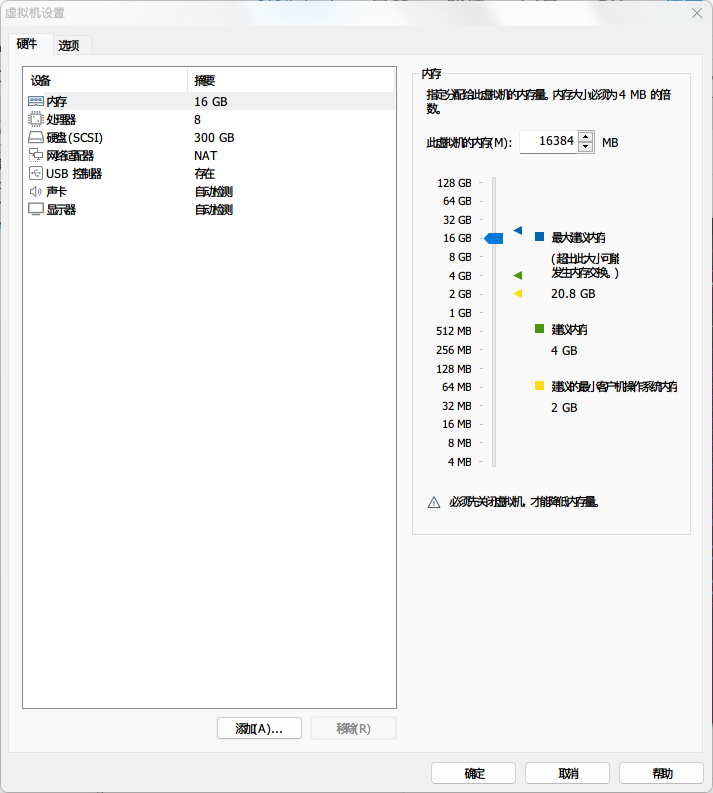
仅作示例,硬盘给 300g 差不多够
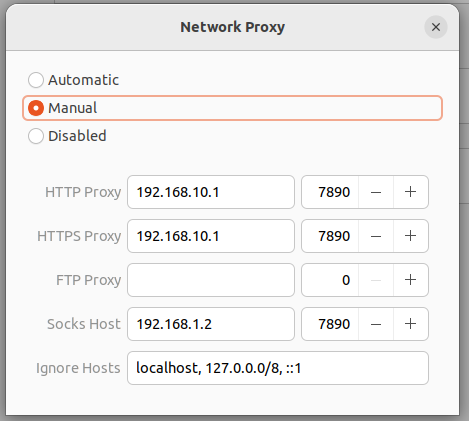
配置代理
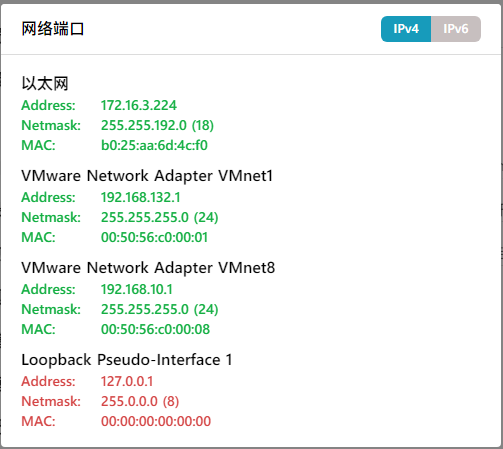
我是 nat 模式,用第三个
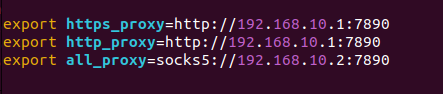
终端代理设置
将下面加入环境变量
依赖安装
$ sudo update-alternatives --config java

$ sudo apt-get install bc bison build-essential ccache curl flex g++-multilib gcc-multilib git gnupg gperf imagemagick lib32ncurses5-dev lib32readline-dev lib32z1-dev liblz4-tool libncurses5-dev libsdl1.2-dev libssl-dev libwxgtk3.0-gtk3-dev libxml2 libxml2-utils lzop pngcrush rsync schedtool squashfs-tools xsltproc zip zlib1g-dev python libncurses5 libtinfo5
配置 repo
$ mkdir -p ~/bin
$ curl https://storage.googleapis.com/git-repo-downloads/repo > ~/bin/repo
$ chmod a+x ~/bin/repo  $chmod a+x ~/bin/repo
将以下内容添加到 ~/.profile 以确保上述 “repo” 二进制文件始终可访问。
# set PATH so it includes user's private bin if it exists
if [ -d "$HOME/bin" ] ; then
    PATH="$HOME/bin:$PATH"
fi
配置 ccache
sudo vim ~/.bashrc
加入:
export USE_CCACHE=1
使改动生效:
source ~/.bashrc
执行:
ccache -M 50G
来设置缓存大小
× 注:ccache 默认在 home 目录,请确保 home 目录有足够的空间。如果想自定义 ccache 的目录,可以在~/.bashrc 文件里加入export CCACHE_DIR=/path/to/.ccache。缓存大小根据自己硬盘大小设置,设置 25G 以上可以显著提高源码的构建速度。
拉取 lineage 源码
$ mkdir -p ~/android/lineage/.repo/local_manifests
$ wget -S https://raw.githubusercontent.com/ShapeShifter499/LG_v30-LineageOS_Manifest/lineage-17.1/lg_v30-joan.xml -O ~/android/lineage/.repo/local_manifests/lg_v30-joan.xml
$ repo sync
这一步需要几十 G 的空间,请先准备好
编译
进入源码根路径
执行
source build/envsetup.sh
lunch lineage_joan-userdebug
mka bacon
等待编译即可,第一次编译需要数个小时的时间